Introduction
Global Settings provide a consistent way to apply styling across all addons in Extra Product Options for WooCommerce. Instead of repeating the same configuration on every addon, you set a default once and then override only where needed.
This guide is informational and focuses on configuration behavior. It explains how Global Settings work, where to find them, and how to combine global defaults with addon- or field-level overrides. It also includes a practical example: use a global Default Title Type, but change the Title Color per addon.
What Are Global Settings?
Global Settings define default values that apply to all addons and fields unless they are overridden. They are designed for:
- Consistent label styling across products
- Unified field container spacing
- A predictable layout system for sections
Global Settings do not lock you in. They provide baseline defaults that you can override at the addon or field level when needed.
Where to Find Global Settings
Go to: WP Admin → WooCommerce → Extra Product Options → Global Settings
You will see grouped sections for label styling, field container styling, and (premium) section layout defaults.
Global vs Addon vs Field: How Overrides Work
The plugin resolves values in this order:
- Field-level value (if set)
- Addon-level value (if set)
- Global Settings (default fallback)
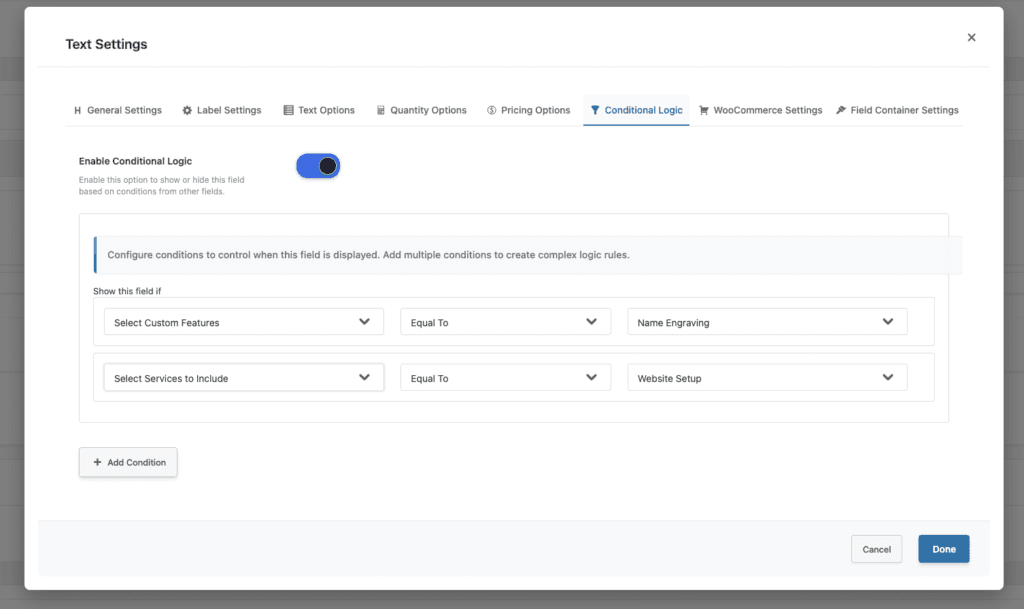
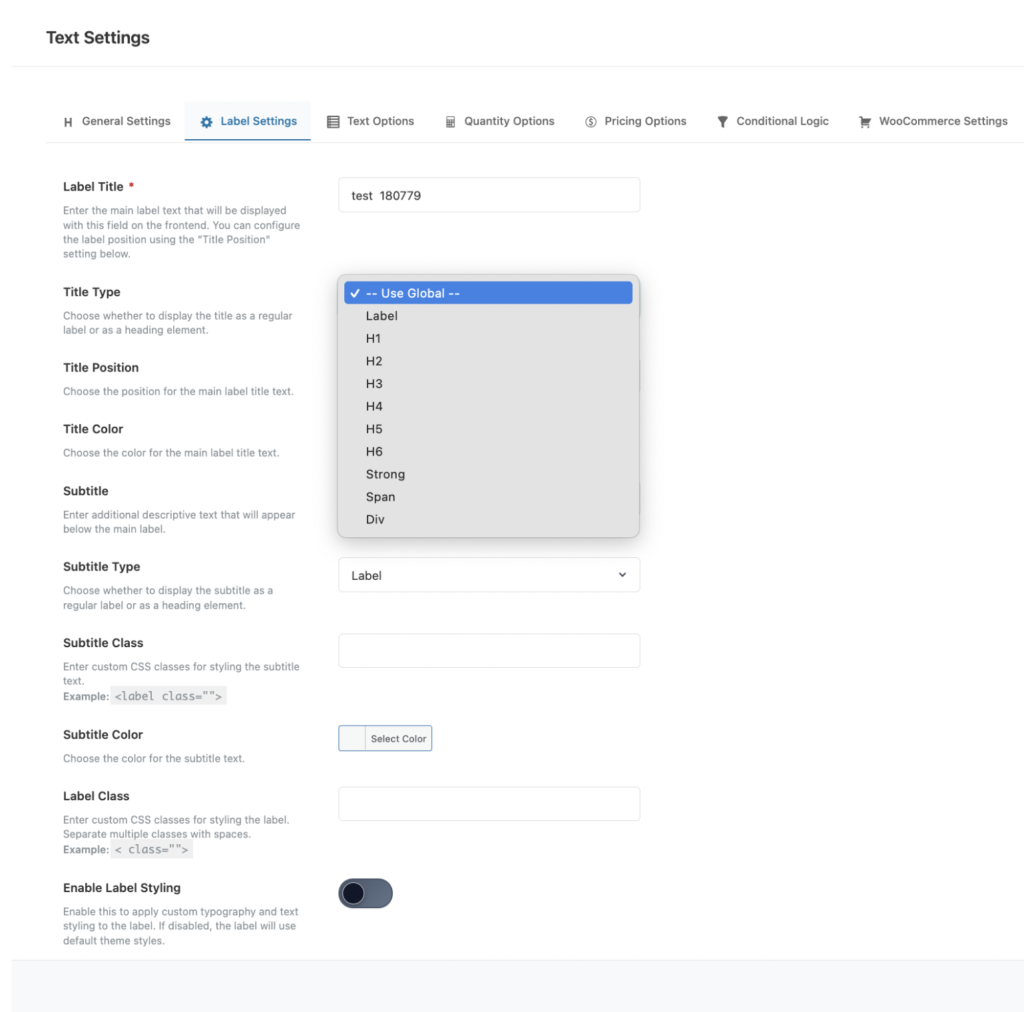
If an addon or field is set to Use Global (or Default at field level), that value is treated as empty and the system falls back to the next level in the chain.
This means you can safely apply defaults globally and override only what you need at the addon or field level.
Label Global Settings (Default Title Type, Color, Class)
Label Global Settings let you define defaults for all label titles and subtitles. Typical use cases:
- Default Title Type (label, span, h3, etc.)
- Default Title Color
- Default Label Class
- Subtitle Type/Color
- Optional label typography settings (font size, weight, alignment)
These defaults apply automatically unless you override them on a specific addon or field.
Field Container Global Settings (Padding, Margin, Border, Width)
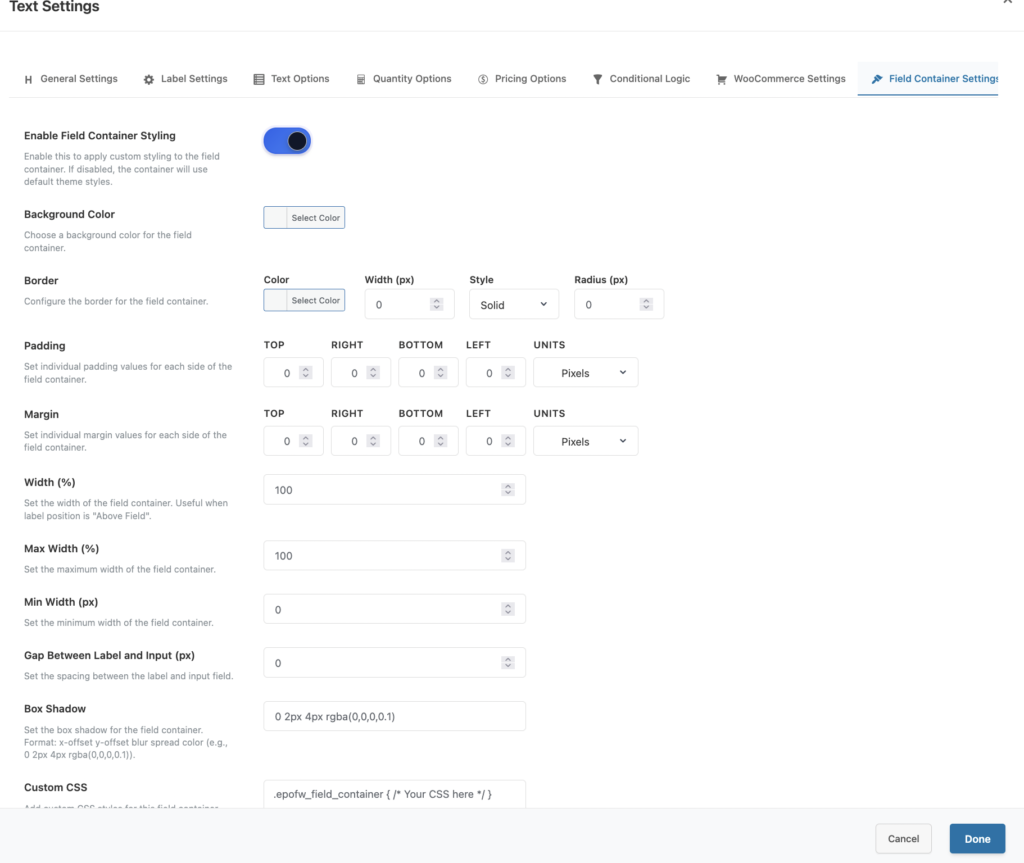
Field Container Global Settings control layout and spacing for all fields:
- Padding and margin
- Border color, width, radius
- Width, min/max width
- Gap between label and input
- Custom CSS
These are ideal for ensuring consistent spacing and alignment across all addons.
Section Layout Global Settings (Premium)
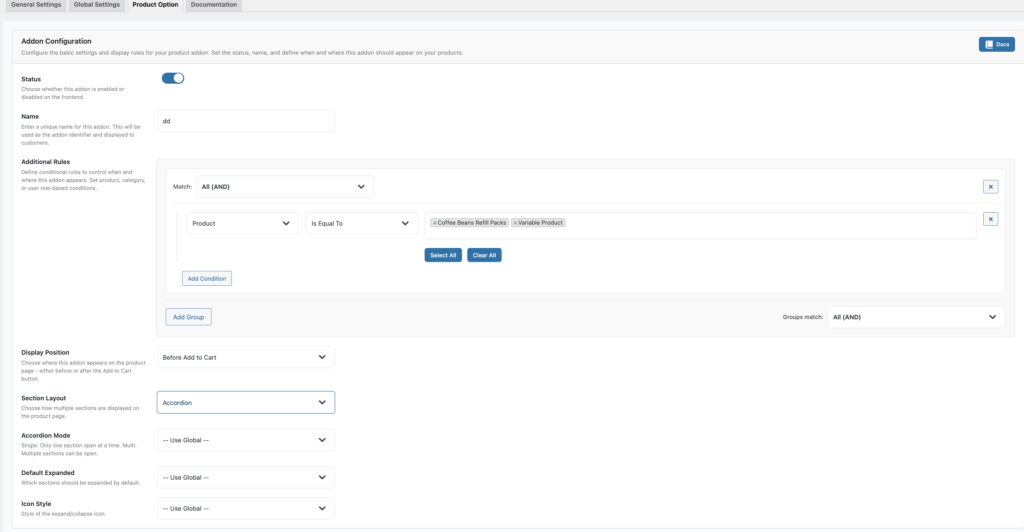
Premium users can set global defaults for section layouts, including:
- Default layout (Accordion, Tabs, Step Wizard)
- Accordion mode and default expanded state
- Tab styles and positions
- Wizard behavior (progress indicators, step validation)
- General behavior (animation speed, deep linking, error highlights)
These settings apply across all addons unless overridden in addon settings.
Example: Global Title Type + Addon Color
Goal: Use a global Default Title Type (e.g., span) for all labels, but change Title Color per addon.
How it works:
- Set Default Title Type in Global Settings (Label Global Settings).
- Leave the color in Global Settings as your default (or empty).
- In the addon’s label settings, set a custom Title Color only for that addon.
Because addon settings override global defaults, the Title Type stays global, but the color changes for that addon only.
Best Practices
- Use Global Settings for consistent defaults across your store.
- Override at addon level only when a specific product needs a different look.
- Keep field-level overrides for truly unique cases.
- Review your global defaults after theme changes to ensure design consistency.
Troubleshooting
My global settings are not applying:
- Check if addon or field settings are overriding them.
- Clear any caching plugins and regenerate CSS if required by your theme.
Labels still show different HTML tags:
- Confirm the field-level title type is not set to
labelordefault. - Ensure global settings are saved correctly.
Addon Level Setting For Section Layout
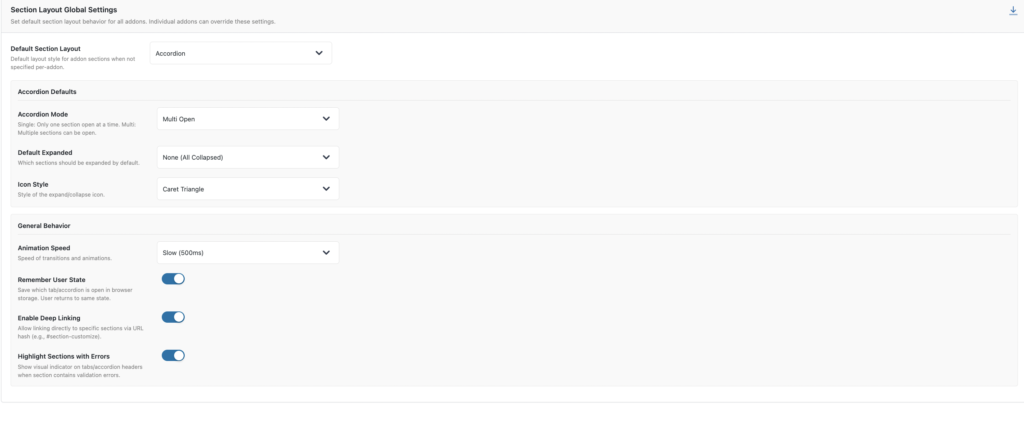
Global Level Setting For Section Layout
Field Level Setting For Labels
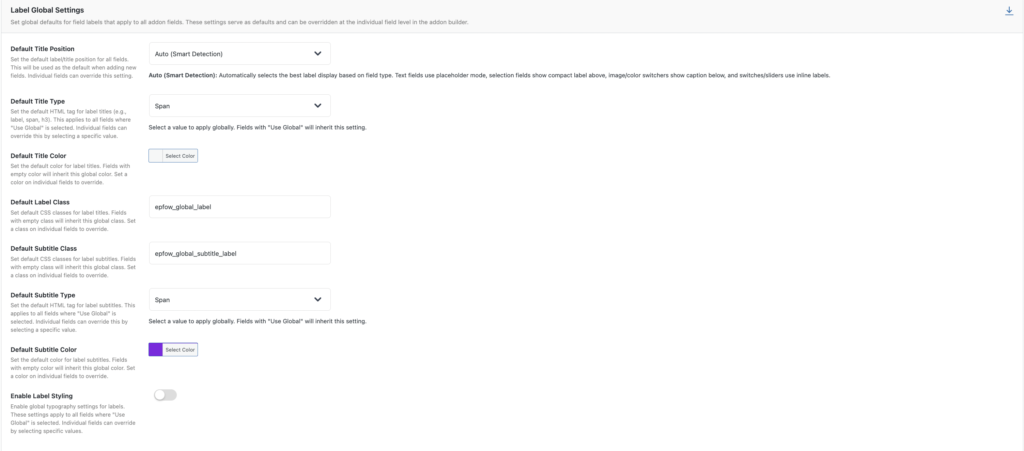
Global Level Setting For Labels
Field Level Setting For Field Containers
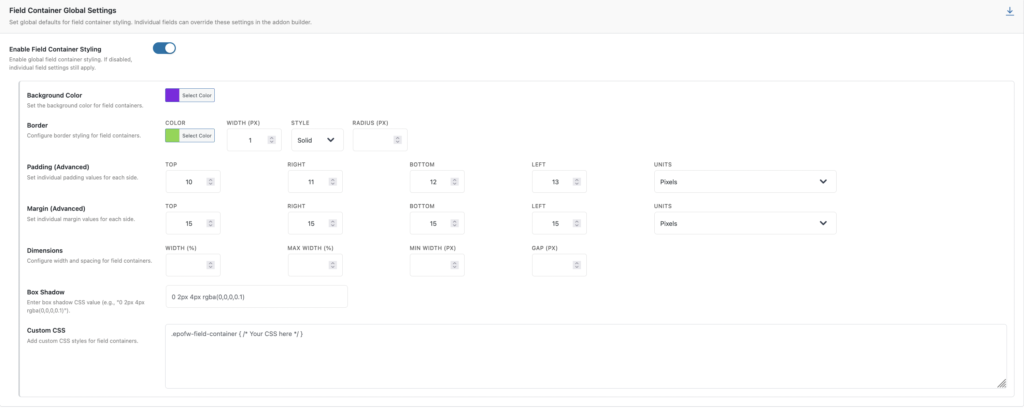
Global Level Setting For Field Container
Conclusion
Global Settings give you a clean, scalable way to control addon styling across your WooCommerce store. Use them to define smart defaults, and override only when you need special cases. This keeps your configuration consistent, manageable, and easy to maintain.
Frequently Asked Questions
Find answers to commonly asked questions about our products and services.
Still have a question?
If you have any other queries, feel free to reach out to us. Our knowledgeable team is here to help!