Dynamic Pricing
Introduction
Pricing flexibility is essential for WooCommerce stores that sell customizable products. Standard WooCommerce displays fixed prices, but many businesses need prices that adjust based on customer selections, text length, or chosen options. WooCommerce dynamic pricing solves this by automatically calculating the final cost based on various conditions.
In this guide, we will explain what WooCommerce dynamic pricing is, explore the different pricing types available, and show you how to implement pricing adjustments in your WooCommerce store.
What Is WooCommerce Dynamic Pricing?
WooCommerce dynamic pricing refers to any pricing strategy where the product price changes based on customer input or selections. Instead of showing a single fixed price, products with WooCommerce dynamic pricing calculate the total cost in real-time.
WooCommerce dynamic pricing can adjust based on:
- Customer selections (add-ons, upgrades, options)
- Text input length (per character or per word)
- Numeric values entered by customers
- Percentage of the base product price
- Custom formulas combining multiple factors
For example, a jewelry store might charge $0.50 per character for engraving. When a customer enters “Happy Birthday” (14 characters), the price automatically adds $7.00 to the base product cost.
Why Your Store Needs Dynamic Pricing
- Accurate Cost Recovery – Custom products require varying amounts of work. A 50-character engraving costs more than a 10-character one. WooCommerce dynamic pricing ensures you charge appropriately for actual customization work.
- Transparent Pricing – When prices update in real-time, customers see exactly how their choices affect the total. No surprises at checkout means higher trust and lower cart abandonment.
- Increased Revenue – Add-on pricing encourages customers to enhance their purchases. When customers see that premium options add reasonable amounts, many choose to upgrade.
- Simplified Management – Instead of creating multiple product variations, WooCommerce dynamic pricing lets you manage one product with flexible pricing rules.
Types of Dynamic Pricing in WooCommerce
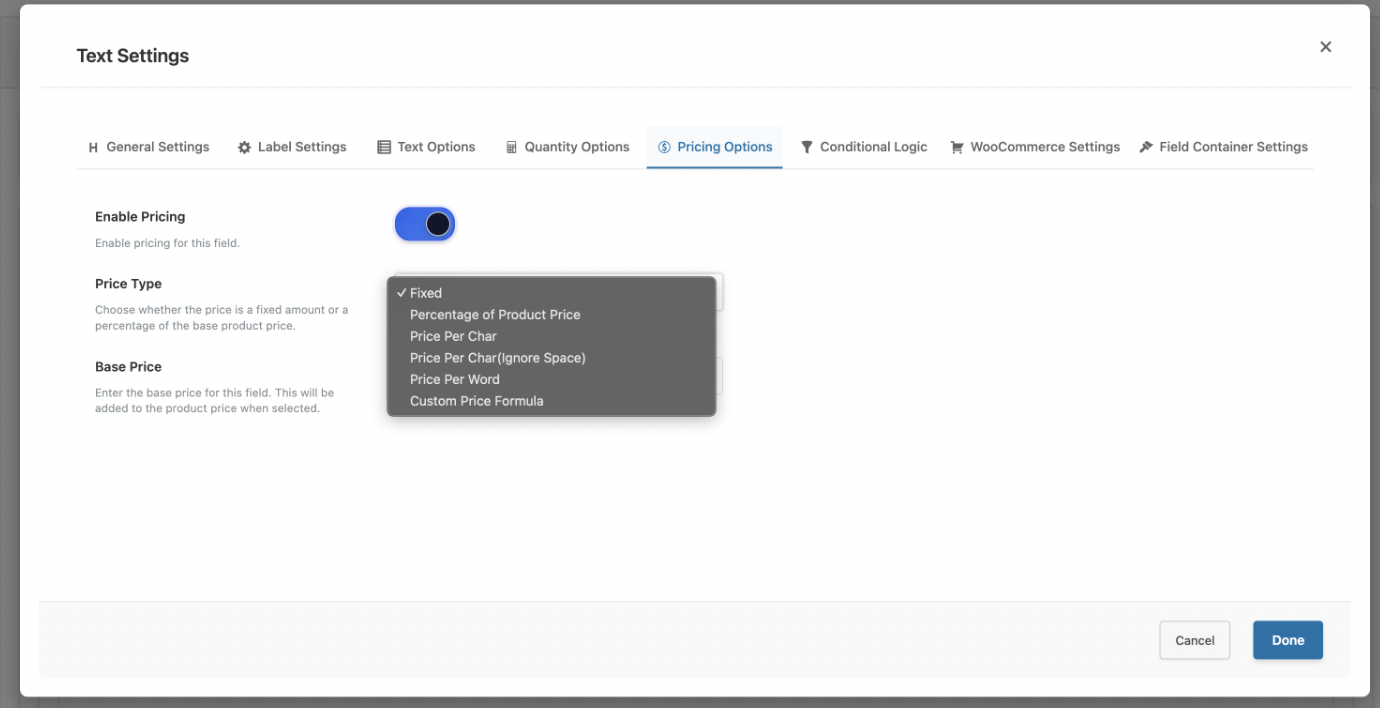
Different pricing types serve different business needs:
Fixed Price Adjustments – The simplest form adds or subtracts a set amount based on selections.
- Gift wrapping: +$5.00
- Express processing: +$15.00
- Basic option: -$10.00
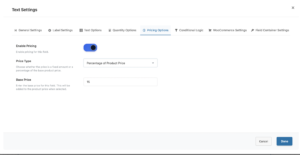
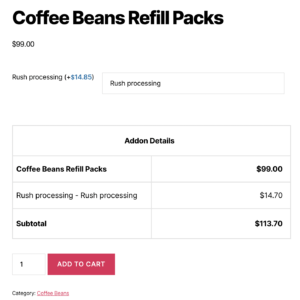
Percentage of Product Price (Premium) – Calculates adjustments based on the base product price.
- Rush processing: +15% of base price
- Premium finish: +25% of base price
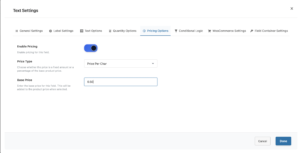
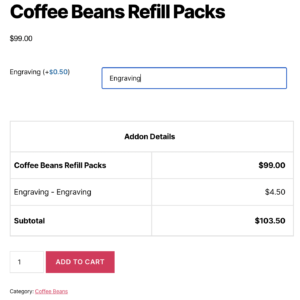
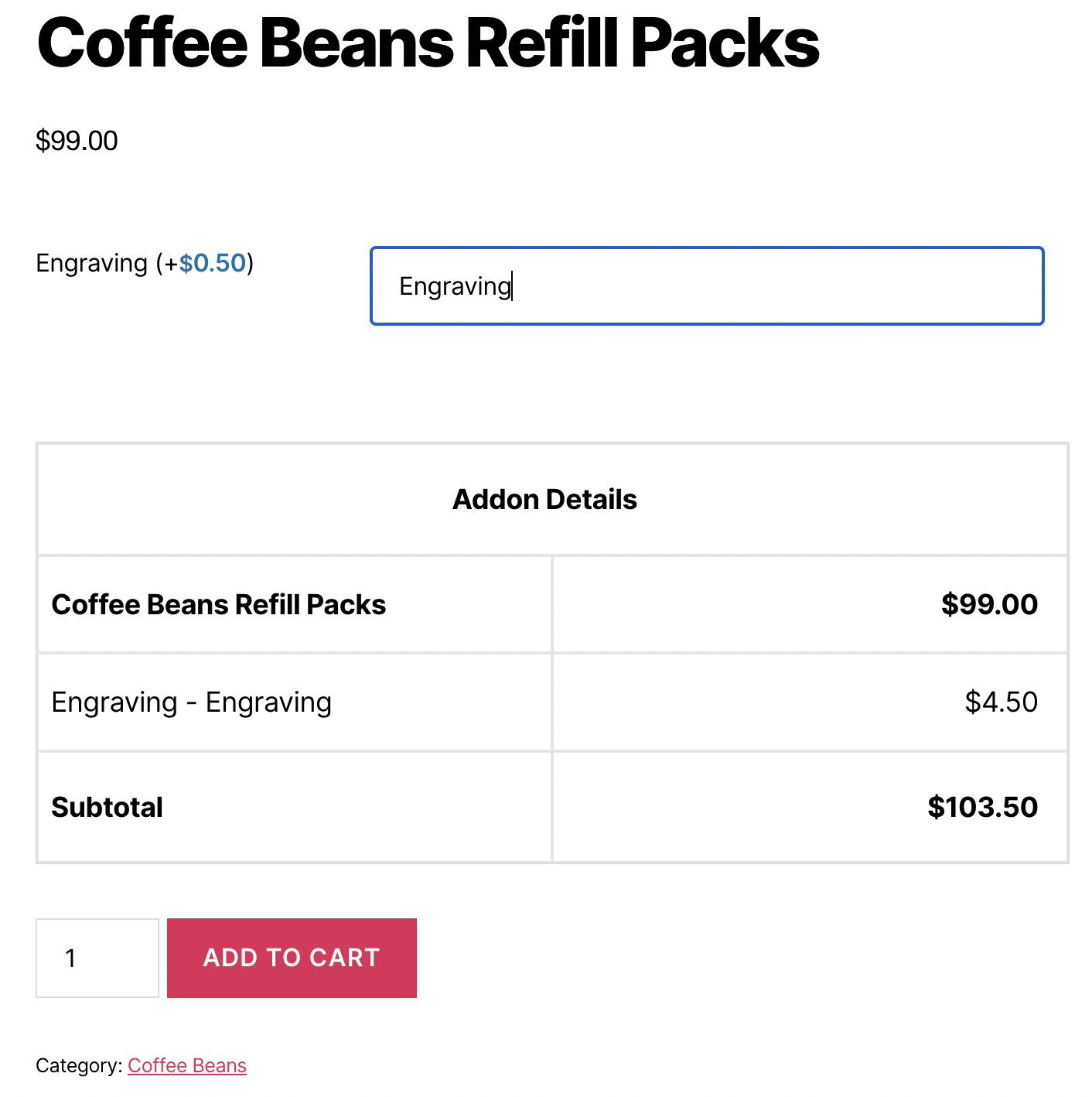
Price Per Character (Premium) – Charges based on text length for personalization fields.
- Engraving: $0.50 per character
- “Hello World” (11 characters) = $5.50 added
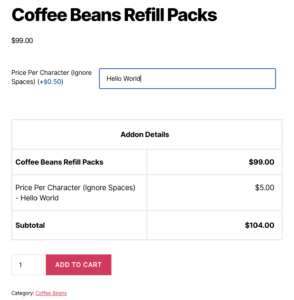
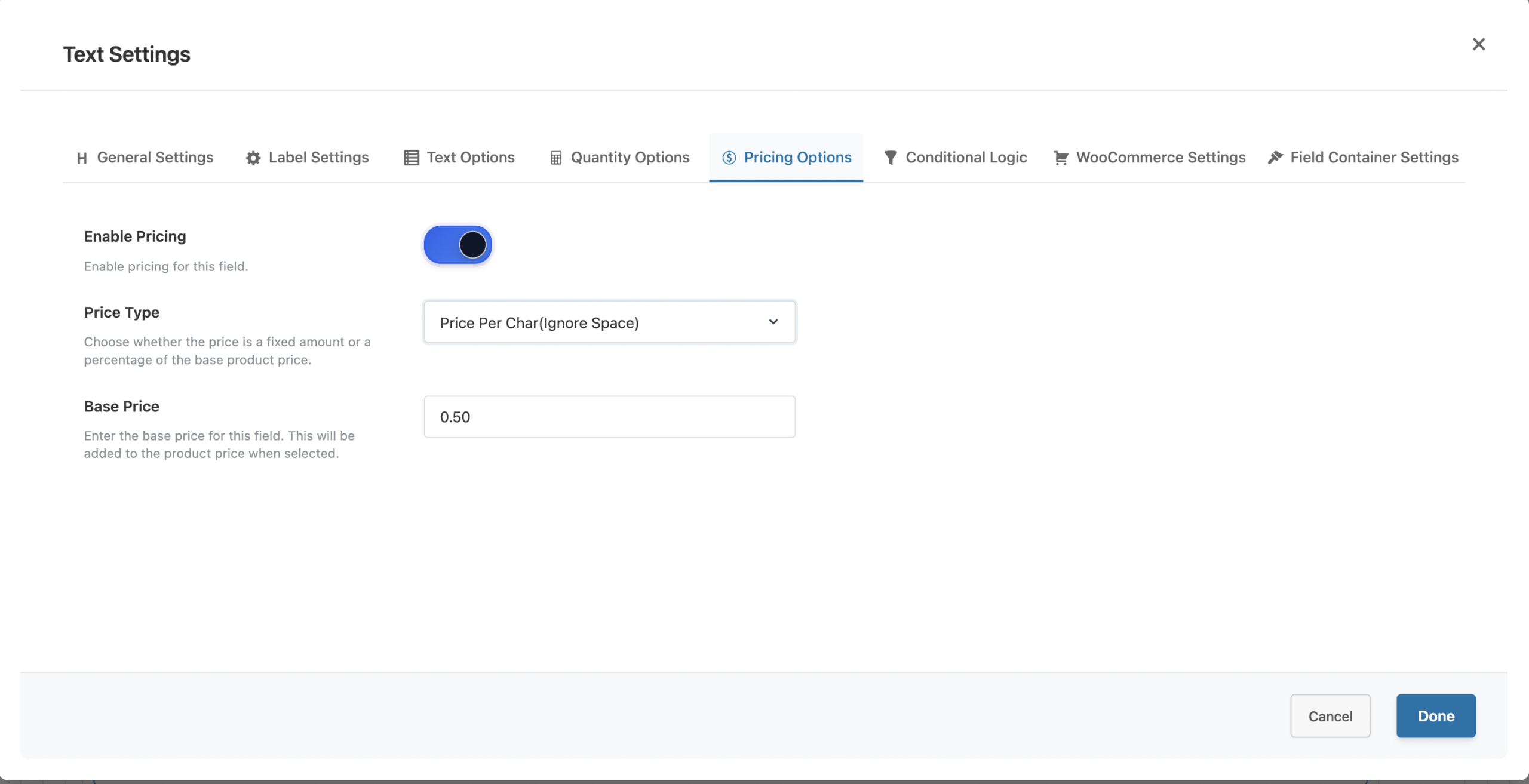
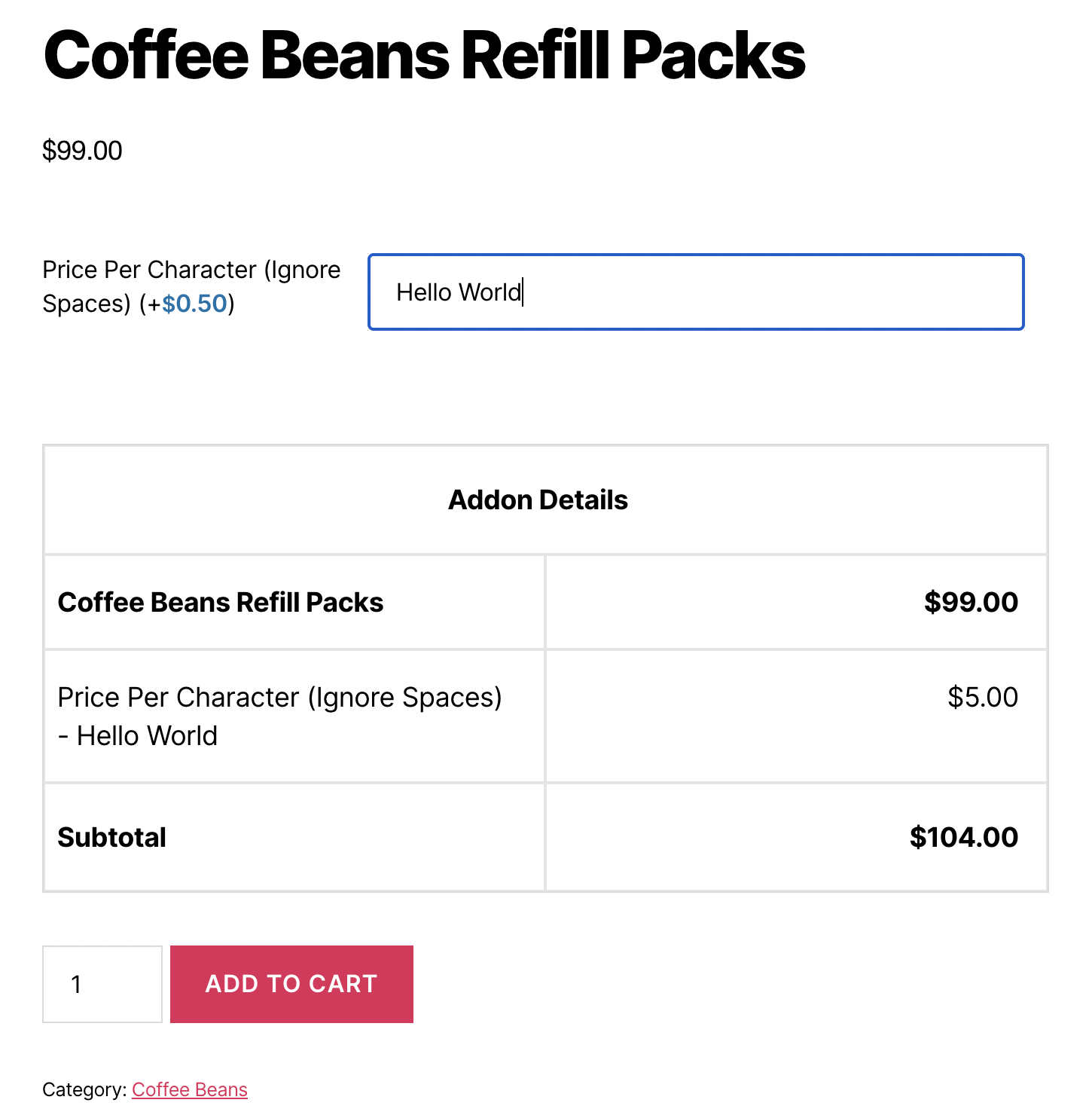
Price Per Character (Ignore Spaces) (Premium) – Same as above but spaces are not counted.
- “Hello World” (10 characters, ignoring space) = $5.00 added
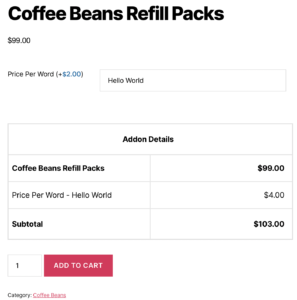
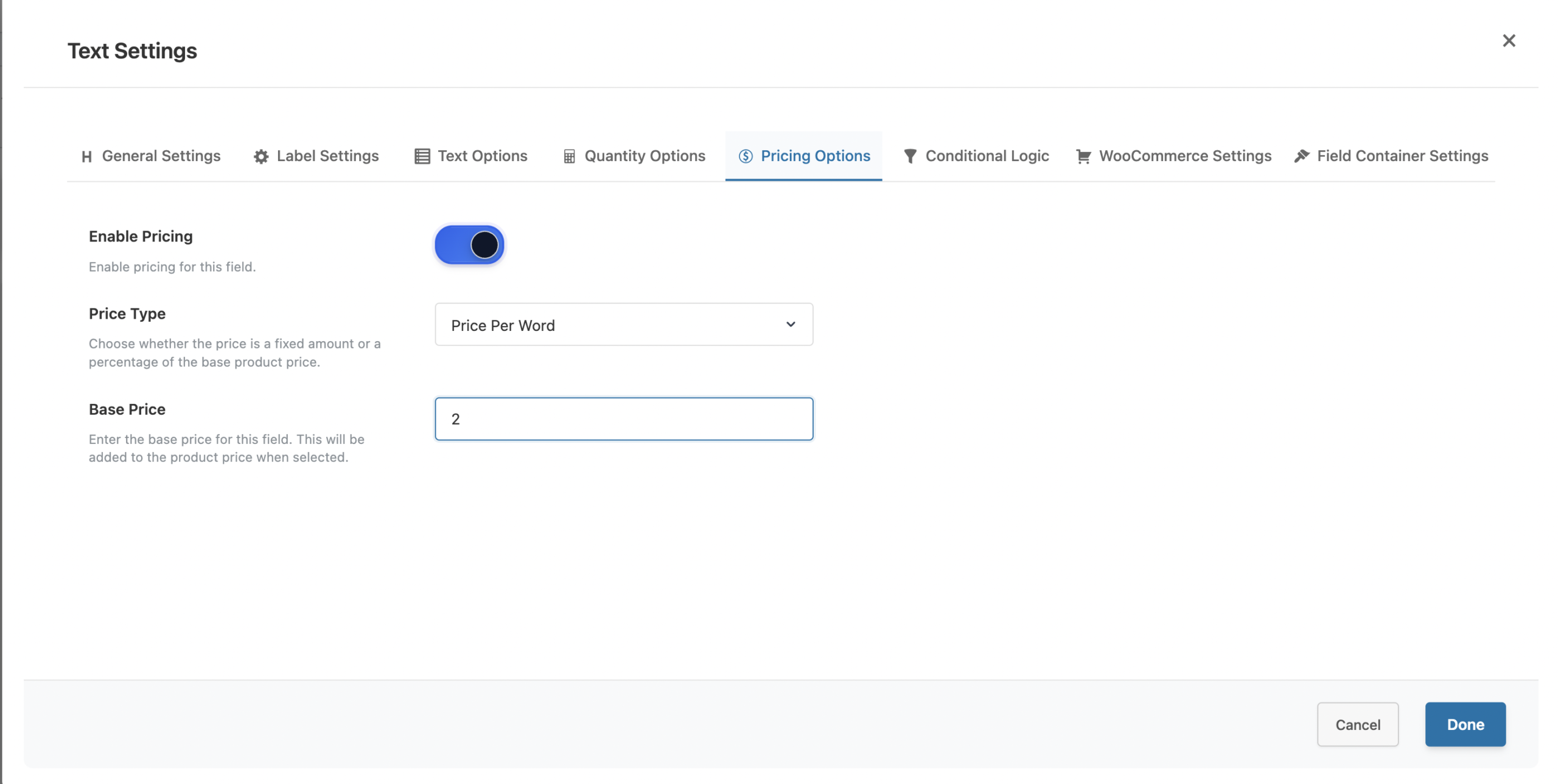
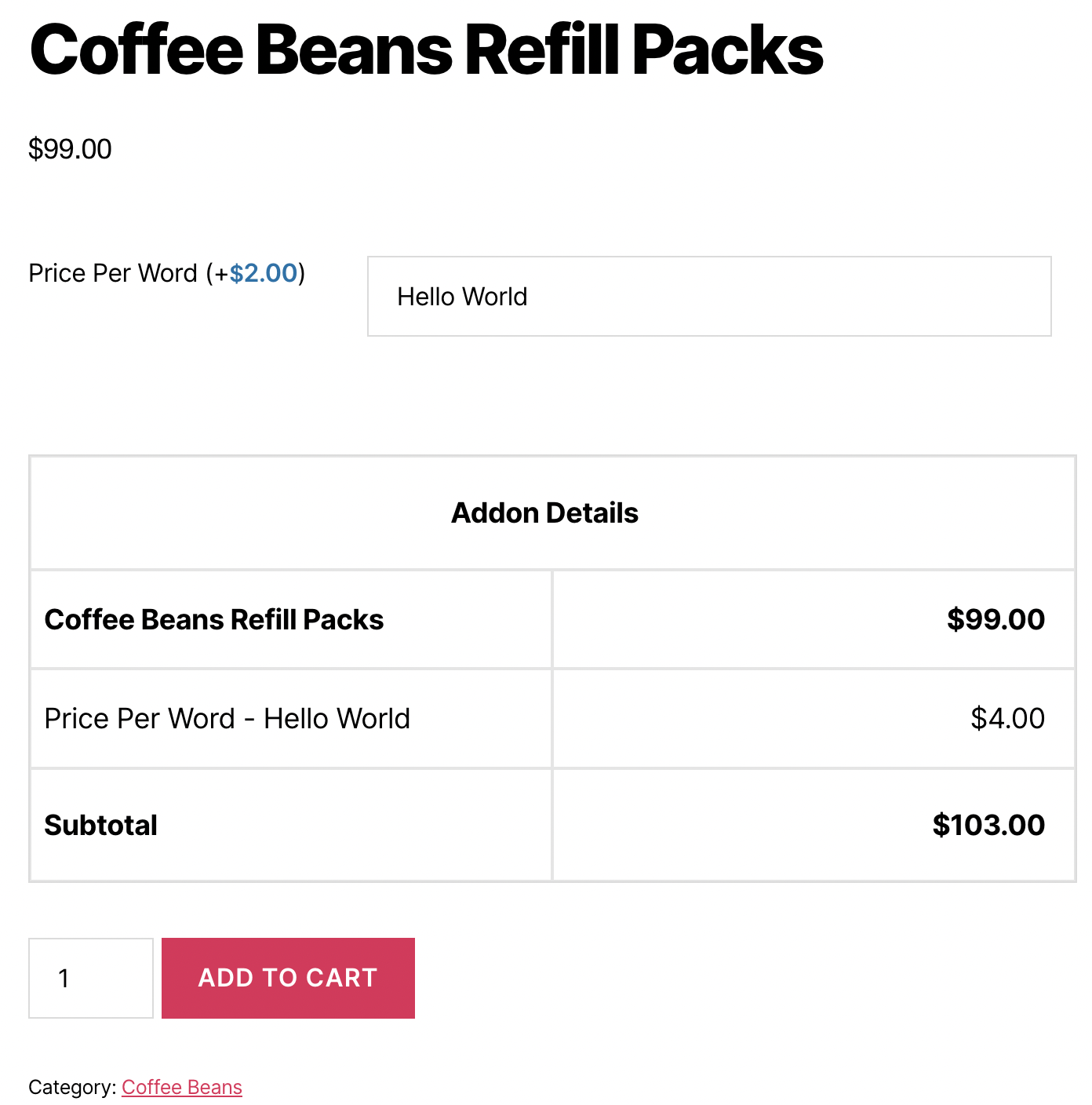
Price Per Word (Premium) – Charges based on word count for longer text.
- Custom message: $2.00 per word
- “Happy Birthday John” (3 words) = $6.00 added
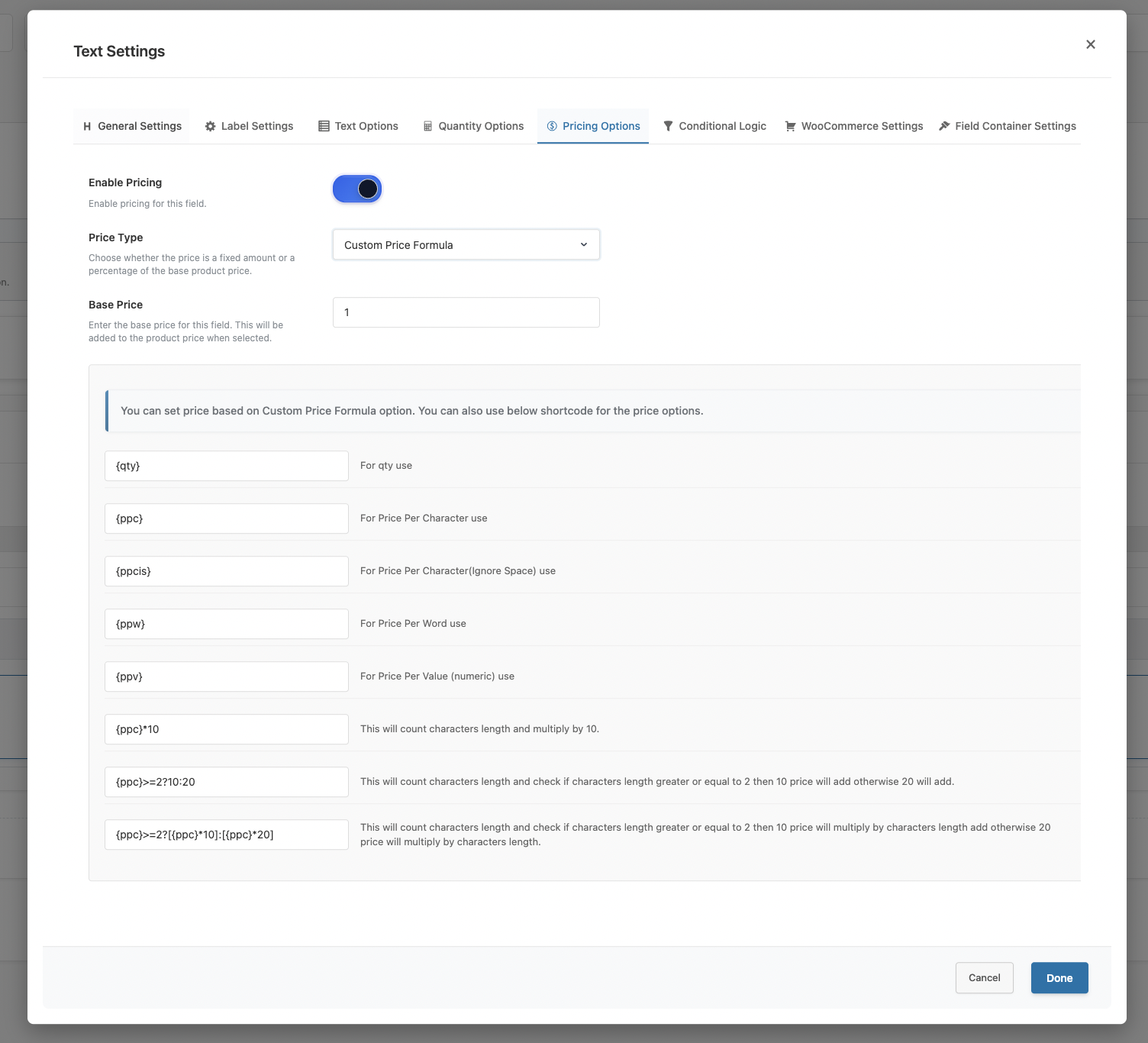
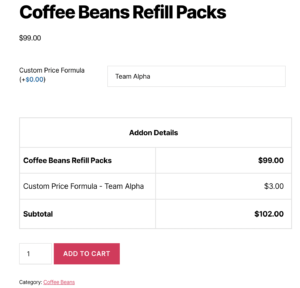
Custom Price Formula (Premium) – Uses mathematical formulas with variables for complex pricing.
- Combines character count, word count, quantity, and more
- Supports conditional pricing logic
Price Per Step (Premium – Slider Field) – For slider inputs, charges based on the selected value.
Advanced Date-Based Pricing (Premium – Date Picker) – Applies different prices based on selected date ranges.



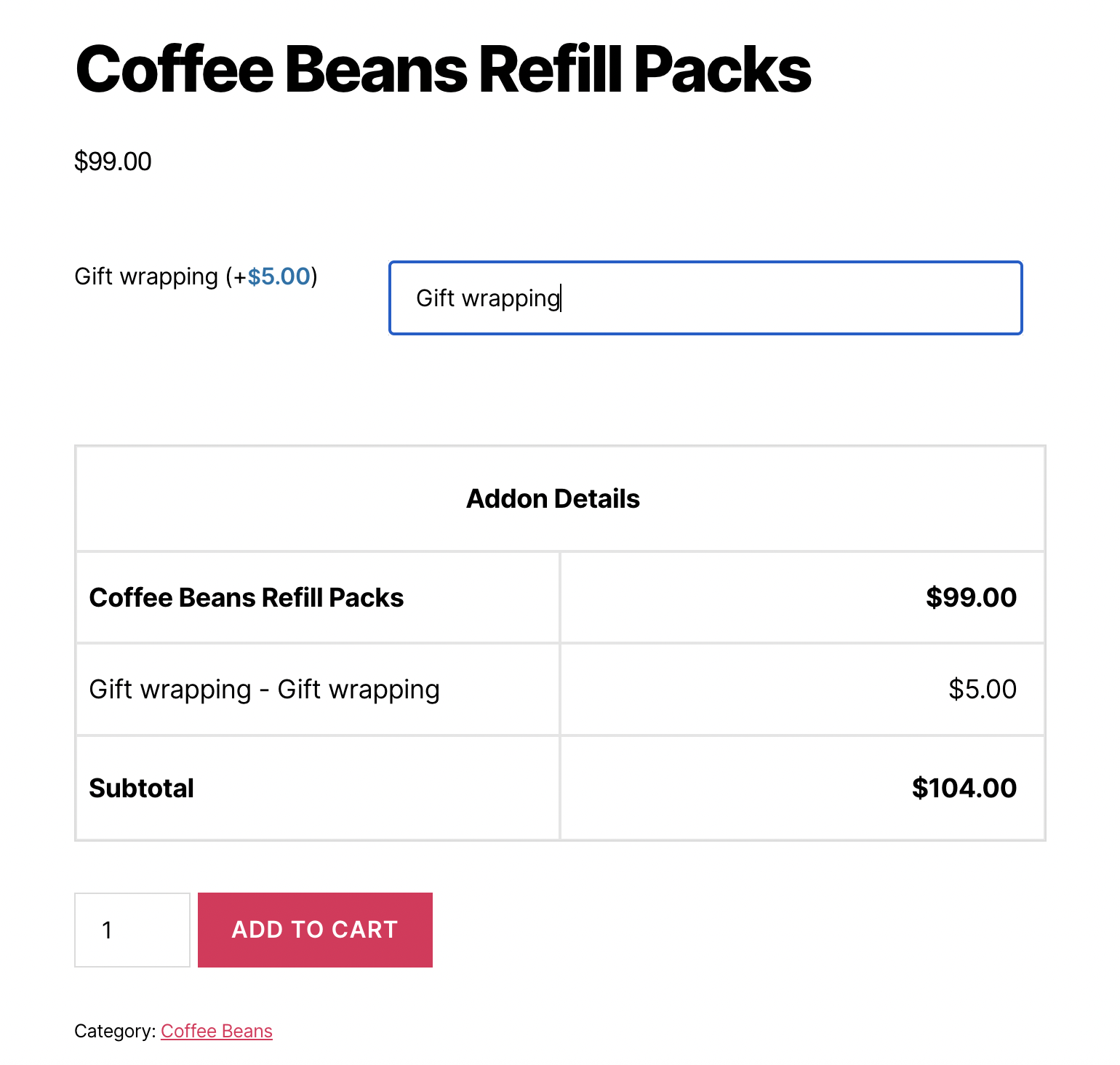
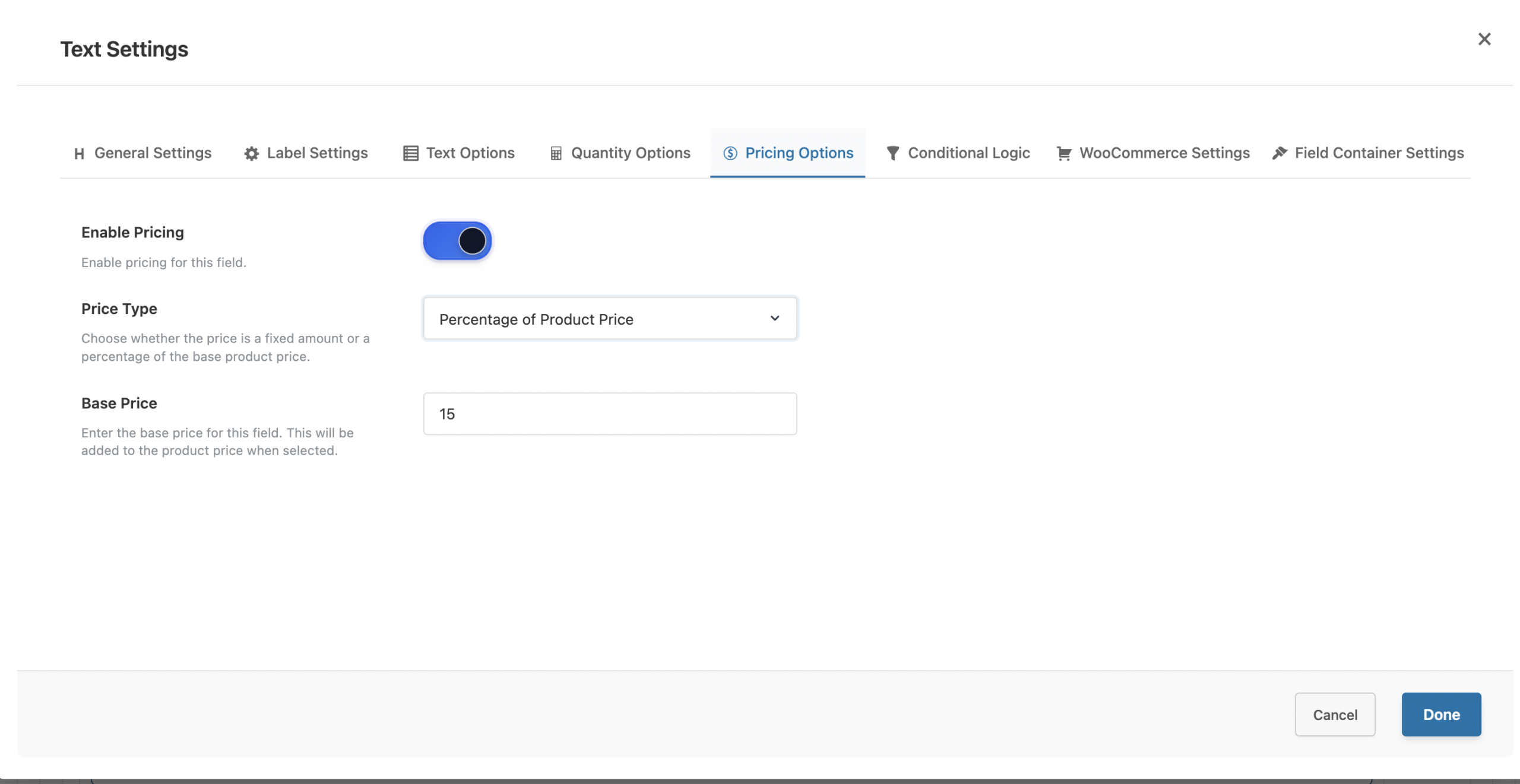
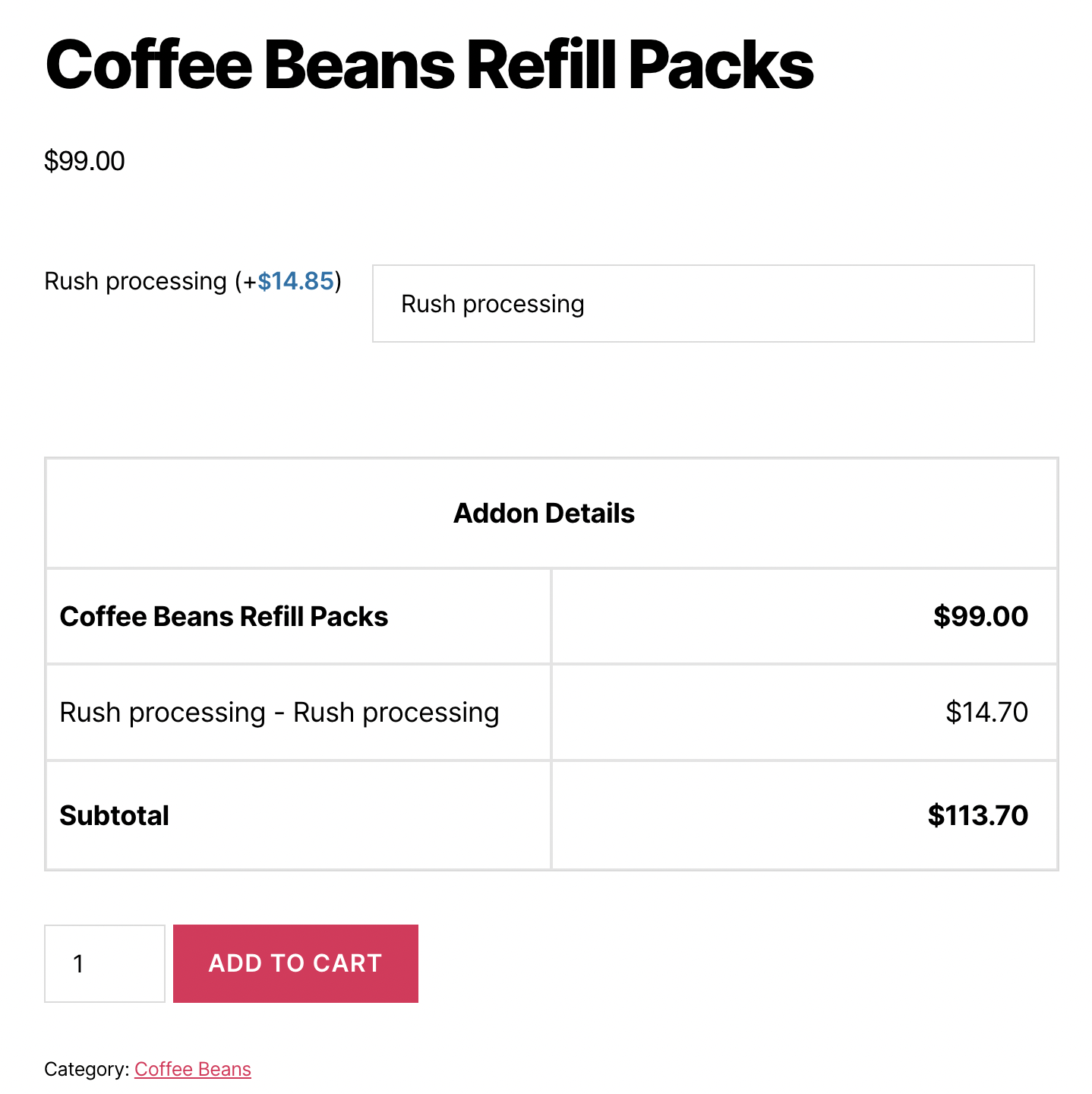
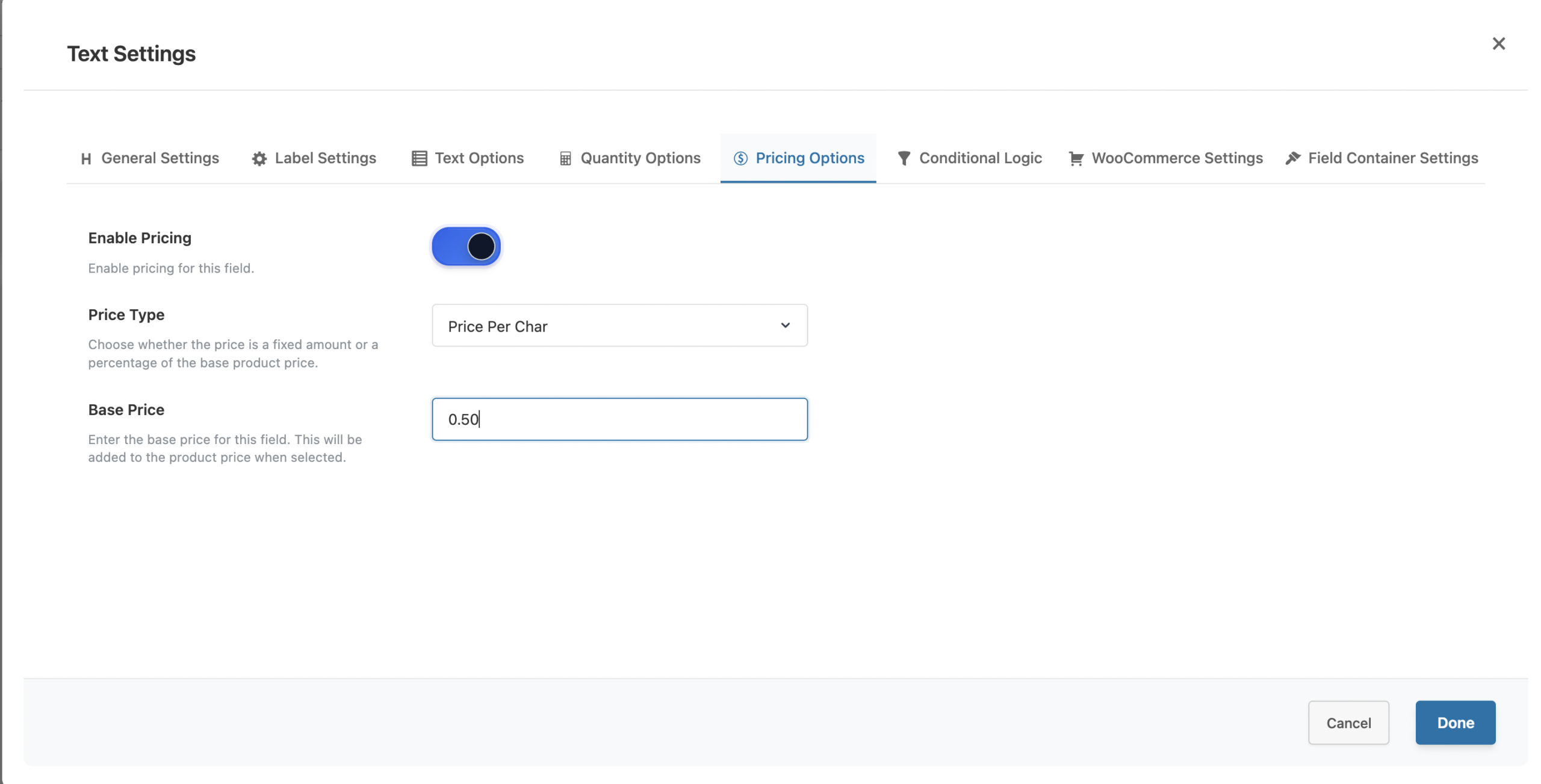
Real-World Pricing Examples
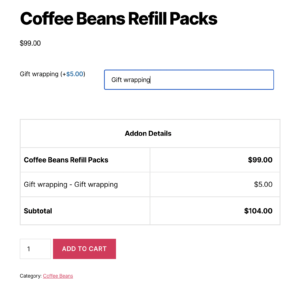
- Example 1: Simple Add-On Pricing (Free)
- A gift shop offers gift wrapping as an add-on:
- Base Product: $25.00
- Gift Wrapping Option: +$5.00 (Fixed)
- Total: $30.00
- A gift shop offers gift wrapping as an add-on:
- Example 2: Per-Character Engraving (Premium)
- A jewelry store charges per character for engraving:
- Base Ring Price: $150.00
- Engraving: $0.60 per character
- Customer enters: “Forever Yours” (12 characters)
- Engraving cost: $7.20
- Total: $157.20
- A jewelry store charges per character for engraving:
- Example 3: Per-Word Custom Message (Premium)
- A card shop charges by word count:
- Base Card Price: $10.00
- Custom Message: $1.50 per word
- Customer enters: “Wishing you the happiest birthday ever” (7 words)
- Message cost: $10.50
- Total: $20.50
- A card shop charges by word count:
- Example 4: Percentage-Based Premium Option (Premium)
- A print shop offers premium paper upgrade:
- Base Print Price: $50.00
- Premium Paper: +20% of product price
- Premium cost: $10.00
- Total: $60.00
- A print shop offers premium paper upgrade:
- Example 5: Custom Formula Pricing (Premium)
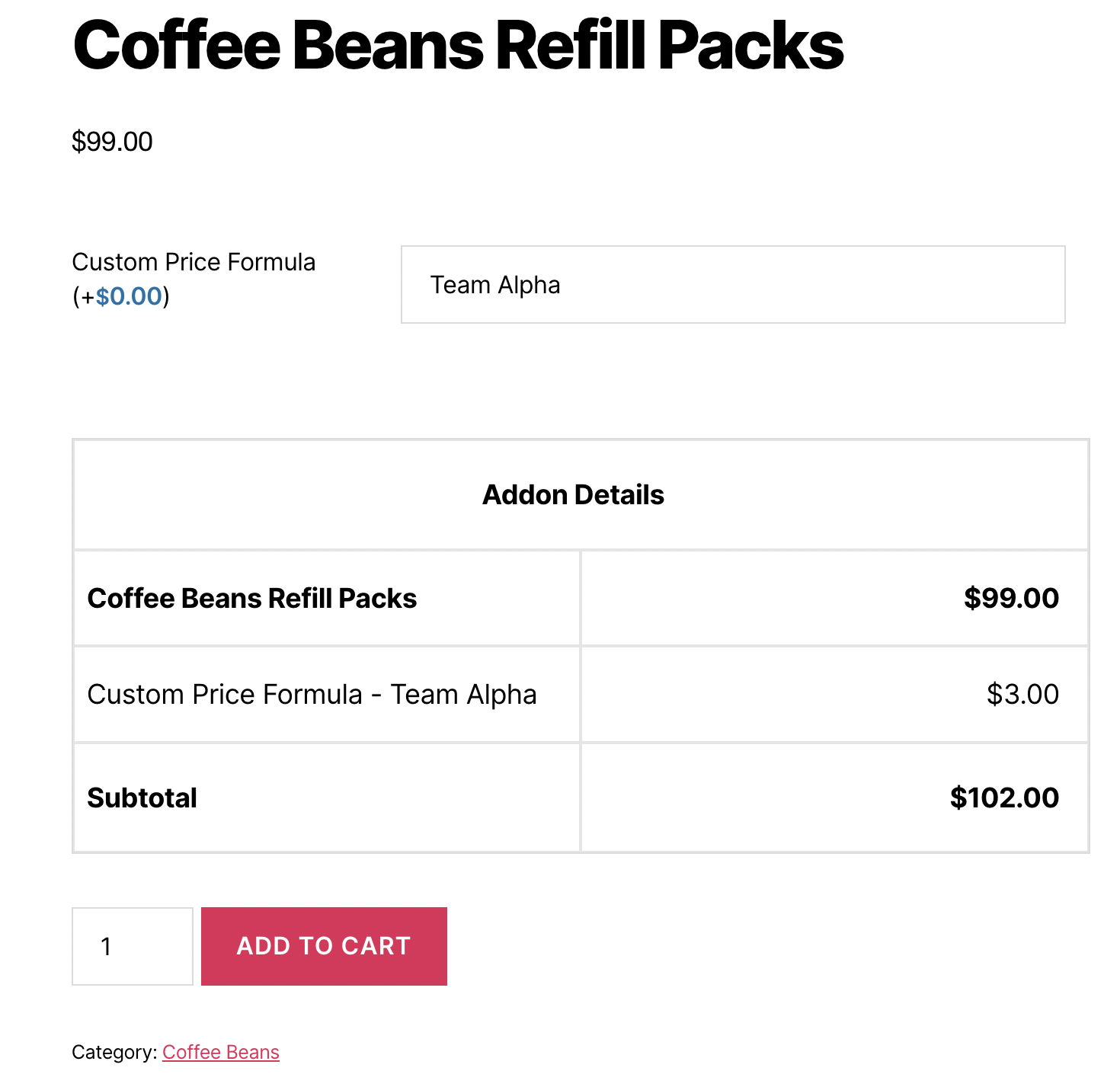
- A t-shirt shop with tiered character pricing:
- Formula:
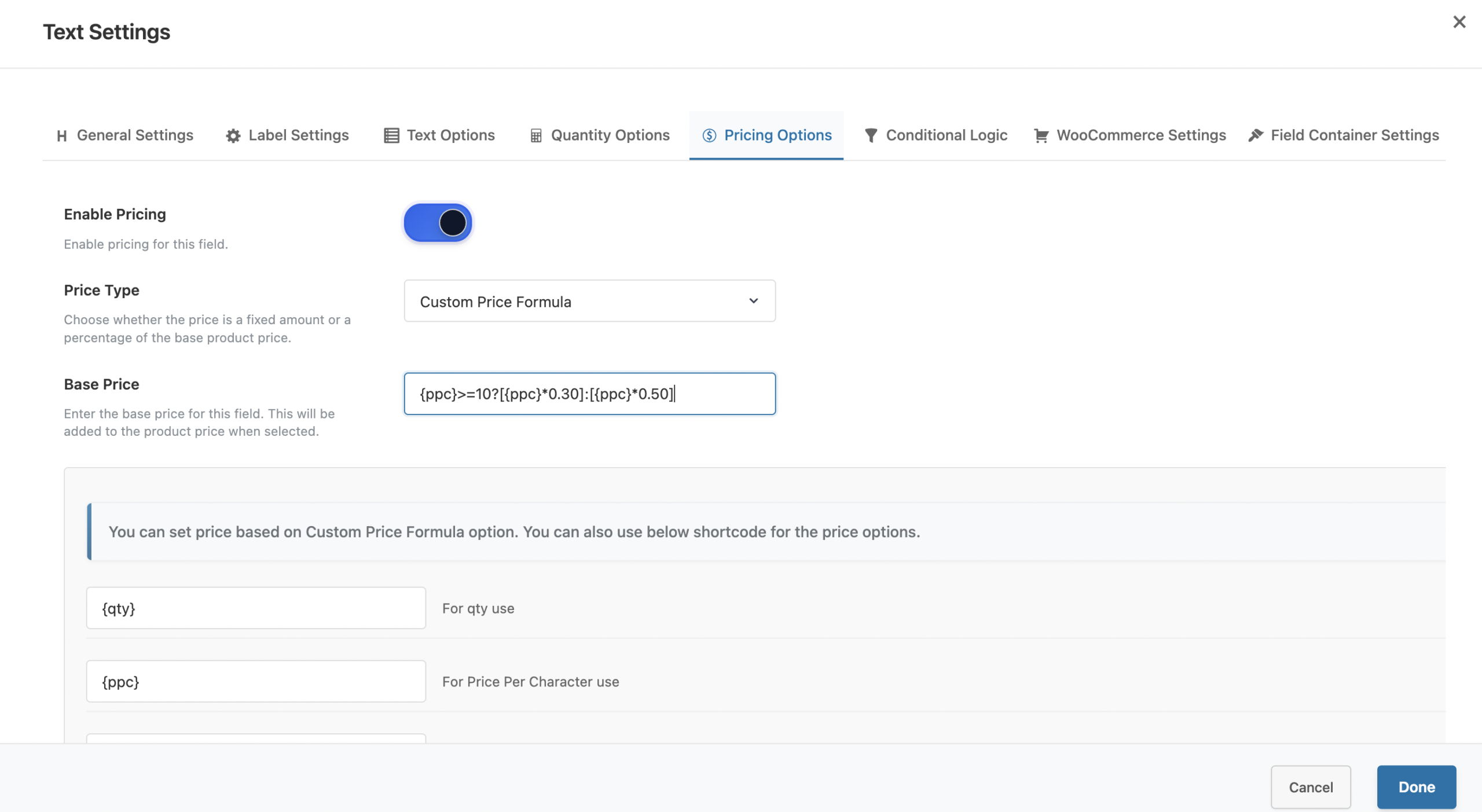
{ppc}>=10?[{ppc}*0.30]:[{ppc}*0.50]- If characters >= 10: $0.30 per character
- If characters < 10: $0.50 per character
- Customer enters: “Team Alpha” (9 characters, ignoring space)
- Price: 9 × $0.50 = $4.50
- Formula:
- A t-shirt shop with tiered character pricing:
- Example 6: Slider-Based Pricing (Premium)
- A custom frame shop with size-based pricing:
- Formula:
{value} * 2- Slider value: 24 (inches)
- Price added: $48.00
- Formula:
- A custom frame shop with size-based pricing:
How to Set Up Dynamic Pricing
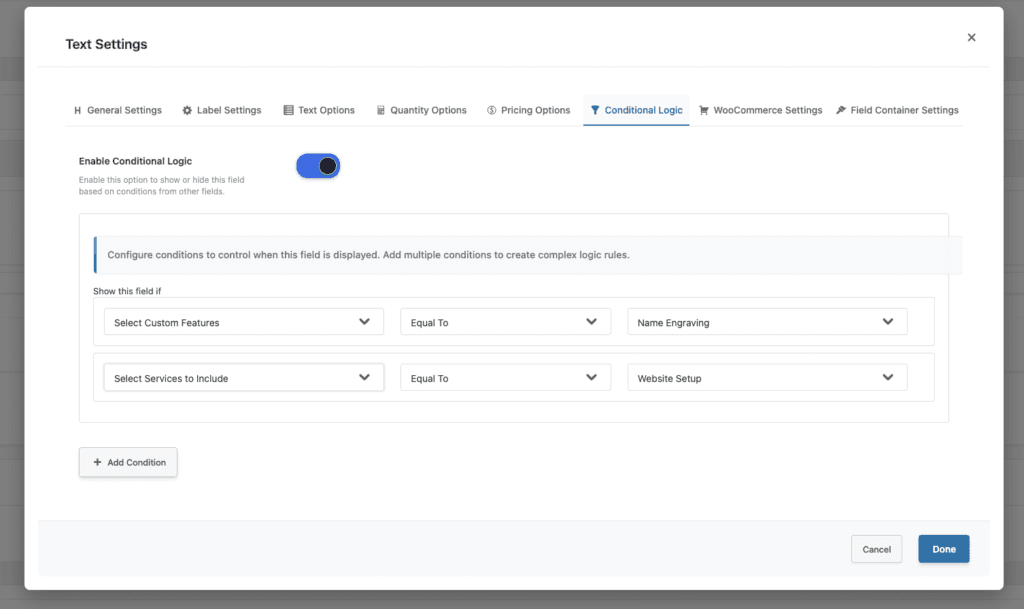
- Step 1: Create Your Product Field
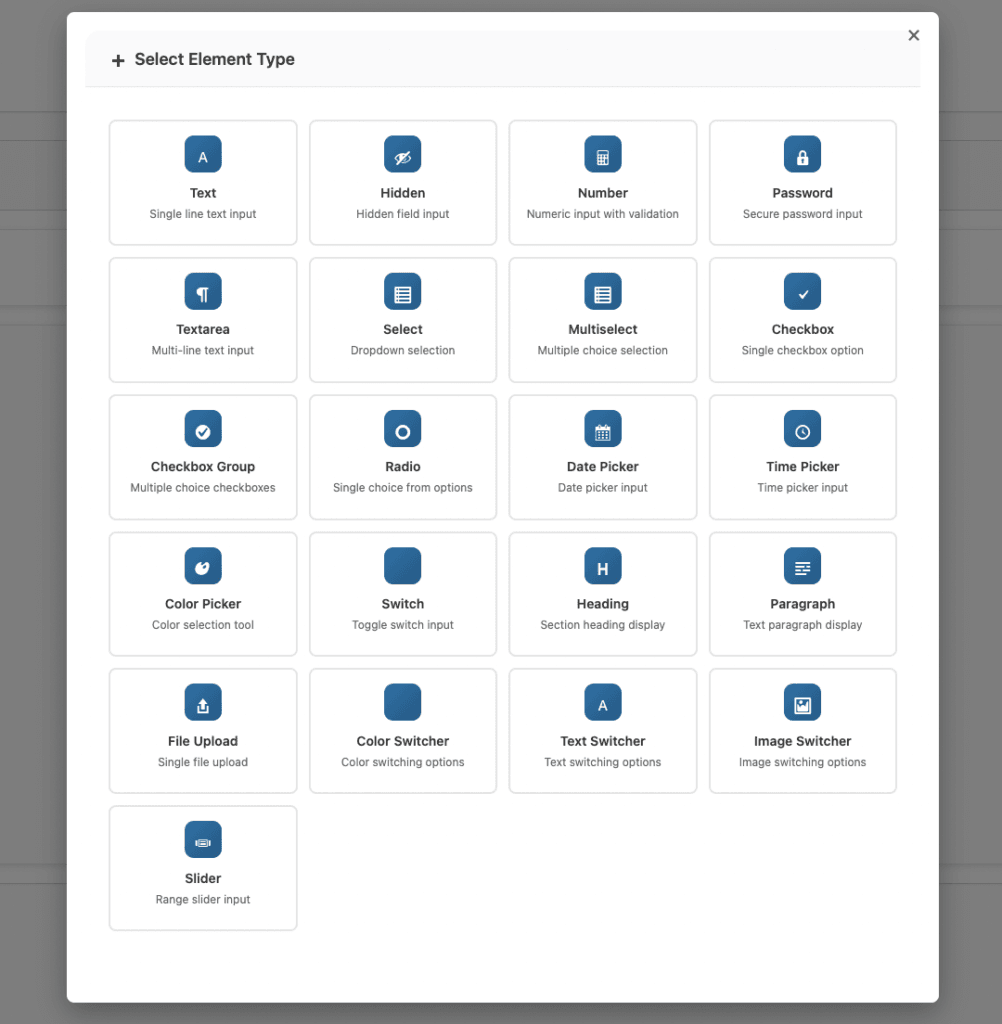
- Add a custom field to your product (text, select, checkbox, slider, etc.).
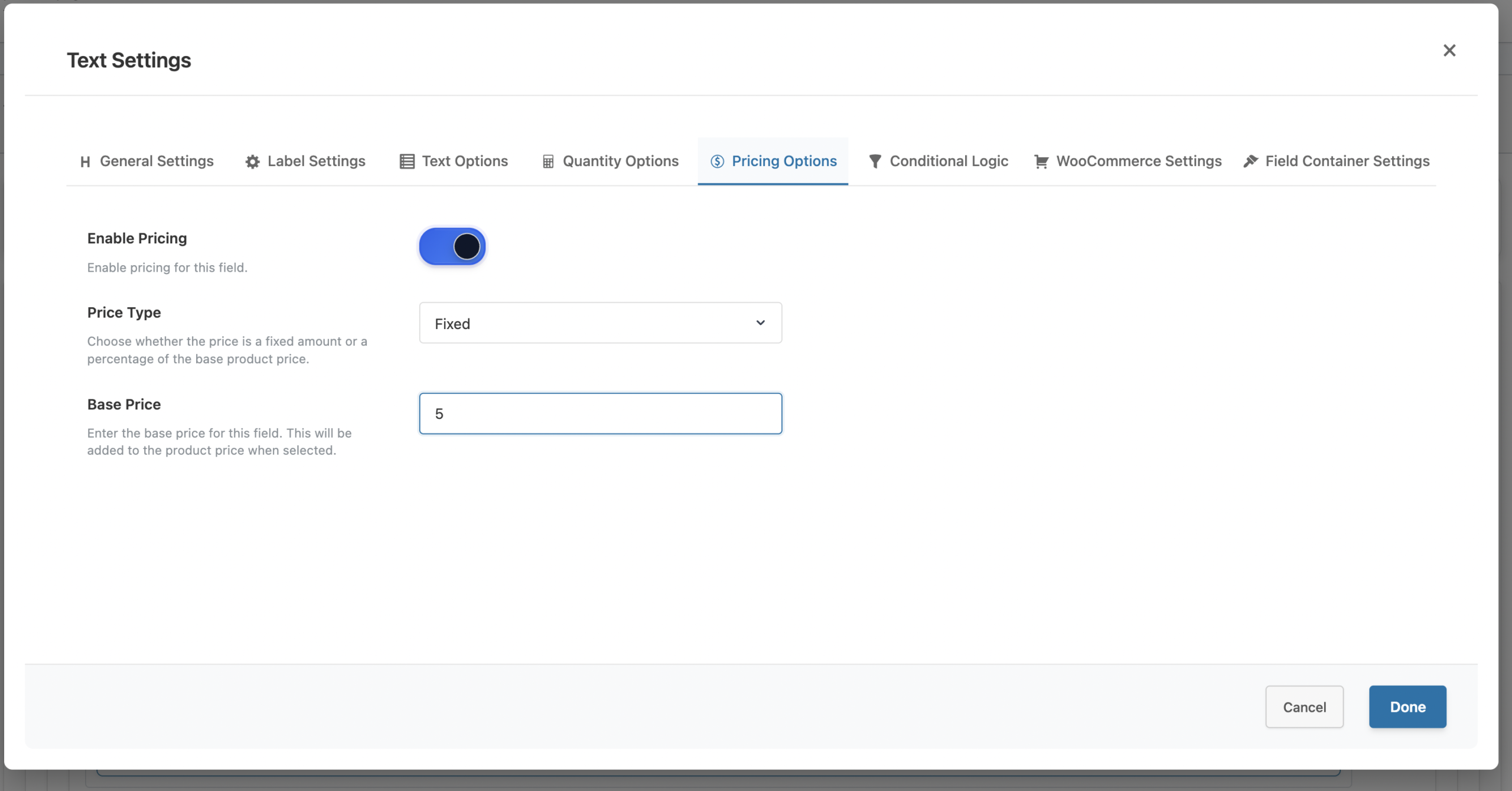
- Step 2: Enable Pricing
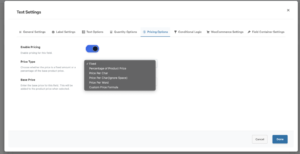
- In the field settings, enable the “Enable Pricing” option.
- Step 3: Select Price Type
- Choose the appropriate pricing type:
- Fixed (Free)
- Percentage of Product Price (Premium)
- Price Per Character (Premium)
- Price Per Word (Premium)
- Custom Price Formula (Premium)
- Choose the appropriate pricing type:
- Step 4: Enter Price Value or Formula
- For fixed pricing, enter the amount (e.g., 5.00).
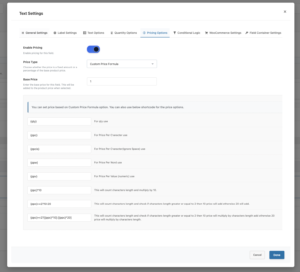
- For formulas, use variables like
{ppc},{ppw},{qty}.
- Step 5: Test the Configuration
- Visit the product page and test different inputs to verify pricing calculates correctly.
Understanding Pricing Formulas (Premium)
Custom Price Formulas use variables and mathematical expressions:
- Available Variables
{qty}– Product quantity{ppc}– Character count in text field{ppcis}– Character count (ignoring spaces){ppw}– Word count in text field{ppv}– Numeric value entered{value}– Slider value{base_price}– Product base price
- Example Formulas
- Per-character with multiplier:
{ppc}*0.50– Each character costs $0.50.
- Tiered pricing:
{ppc}>=10?[{ppc}*0.30]:[{ppc}*0.50]– 10+ characters: $0.30 each, under 10: $0.50 each.
- Base fee plus per-character:
5+({ppc}*0.25)– $5 setup fee plus $0.25 per character.
- Slider calculation:
{value}*2– Slider value multiplied by 2.
- Complex formula:
{base_price}+({value}/100)+10– Base price plus percentage of slider value plus fixed fee.
- Per-character with multiplier:
Best Practices for Dynamic Pricing
- Be Transparent – Always show customers how their selections affect pricing. Display option prices clearly next to each choice.
- Keep Formulas Simple – Complex pricing confuses customers. If you cannot explain your pricing easily, simplify it.
- Test All Scenarios – Verify calculations work correctly for minimum values, maximum values, and typical inputs.
- Show Price Breakdowns– When possible, display itemized pricing so customers understand each component.
- Consider Mobile Users – Ensure WooCommerce dynamic pricing displays correctly on mobile devices.
- Set Reasonable Limits – Use character limits on text fields to prevent unexpectedly high prices.
Conclusion
WooCommerce dynamic pricing transforms how you sell customizable products by automatically calculating accurate prices based on customer input. From simple fixed add-ons to complex per-character formulas, WooCommerce dynamic pricing ensures fair compensation while maintaining transparency.
Start with basic fixed pricing available in the free version, then explore advanced options like per-character pricing and custom formulas in the premium version as your needs grow.
Related Resources
Frequently Asked Questions
Find answers to commonly asked questions about our products and services.
Still have a question?
If you have any other queries, feel free to reach out to us. Our knowledgeable team is here to help!