
No. There is nothing to add to a zone, and you will not find Shipping Rate Builder in a zone’s Add shipping method dialog. That is deliberate, and it is the single thing most new users go looking for first.
Why you expected to
Almost every other shipping plugin registers itself as a zone method. You open WooCommerce → Settings → Shipping, open a zone, press Add shipping method, and pick it from the list — once per zone, every time you add a zone.
So when a shipping plugin is installed and that dialog does not offer it, the reasonable conclusion is that something is broken. Nothing is.
What happens instead
This plugin registers as a global shipping method. WooCommerce calls it for every shipping calculation, whatever zone the customer’s address falls in. The plugin then works out the matched zone itself and applies only the rules that target it.
- A customer reaches the cart or checkout with an address.
- WooCommerce decides which zone that address belongs to.
- It calls every method for that zone — and, separately, every global method, including this one.
- The plugin looks up the matched zone, evaluates the rules targeting it, and returns the rates.
✓ Note
Because it is not zone-based, WooCommerce deliberately leaves it out of the Add shipping method list. A method has to declare zone support to appear there, and declaring it would be untrue.
What this means in practice
| A rule is live when you save it | In every zone it targets, immediately. There is no second step. |
| Your zones stay yours | You never re-enter countries, states or postcodes here. |
| New zones need nothing | Add a zone in WooCommerce next year and rules set to All zones already cover it. |
So how do I limit a rule to one zone?
Inside the rule, at step 1. WHERE. Choose Selected zones and pick from the zones you already have.
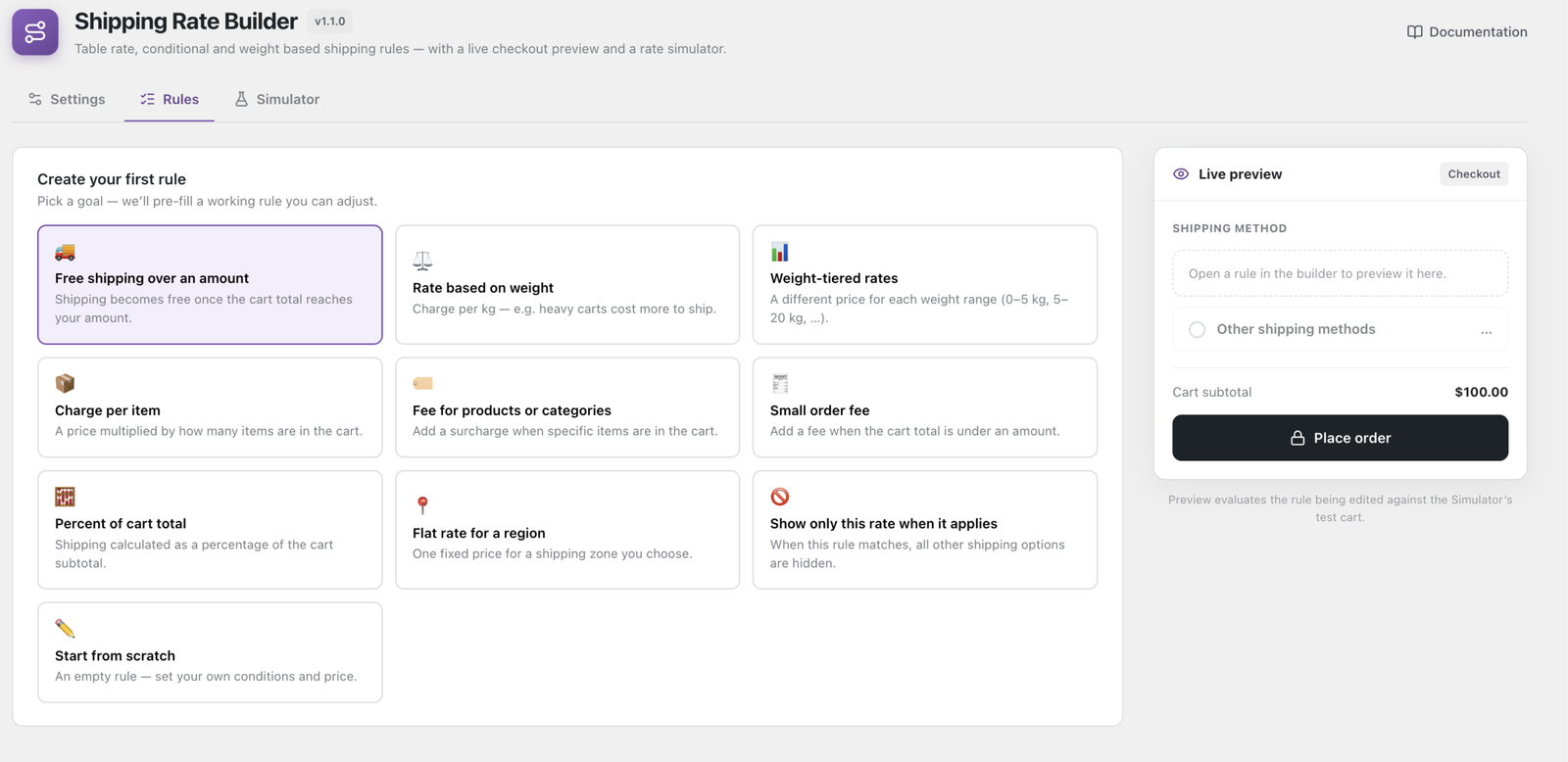
That is the whole of the zone relationship: WooCommerce owns the geography, the rule points at it. If you find yourself re-typing postcodes into a rule that already exist in a zone, you are working harder than you need to.
Tip
For finer targeting inside a zone — the Highlands within a UK zone, say — use a Destination postcode or Destination city condition Pro rather than building a second zone.
Proving it works
If you would rather see it than trust it, the Simulator answers in about thirty seconds. WooCommerce → Shipping Rate Builder → Simulator, build a cart, set a destination, and press Run simulation.
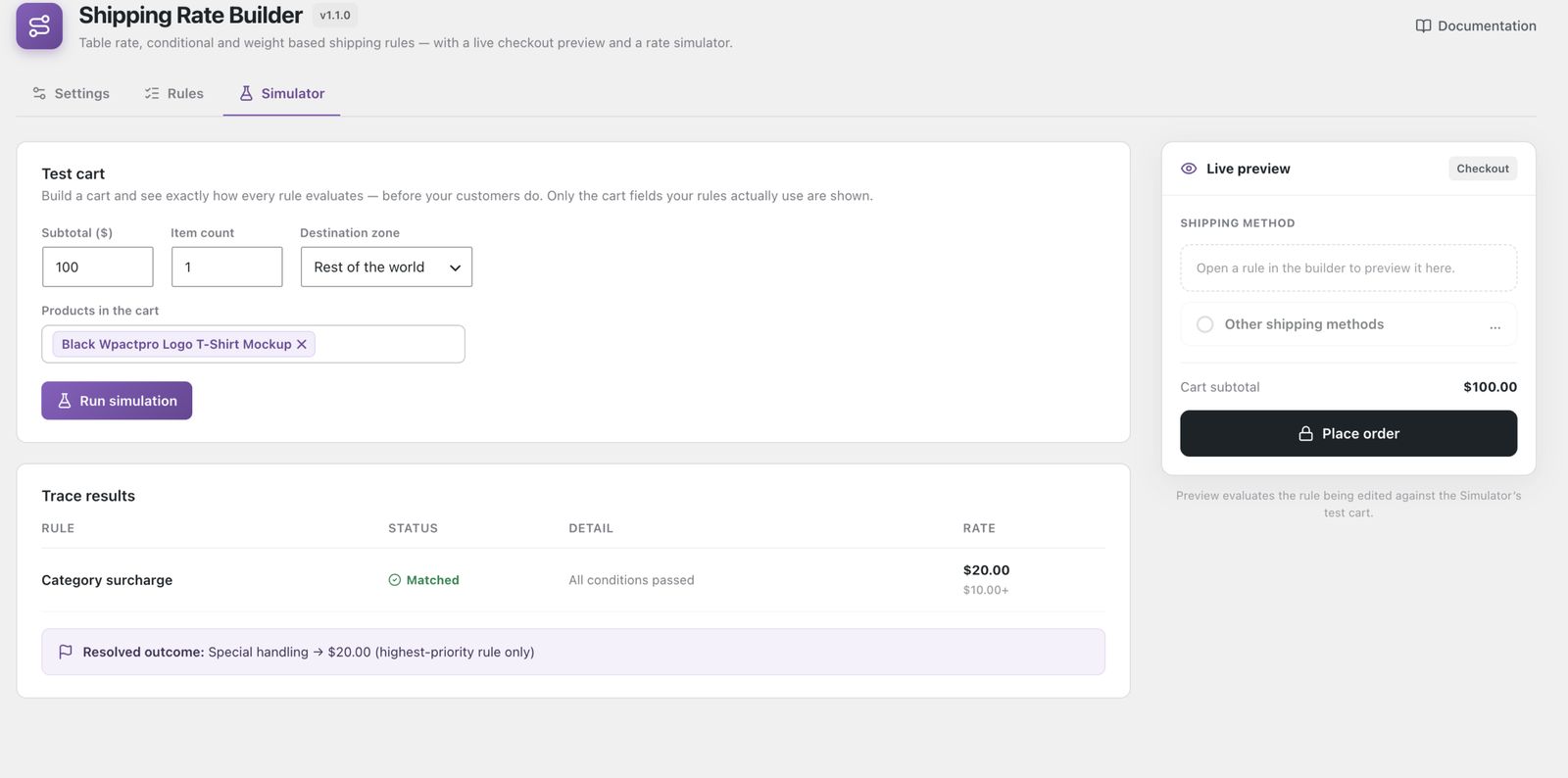
Every rule gets a row. A rule that did not apply because of its zone reports Not targeted at this zone — which is a different answer from “the plugin never ran”, and tells you the method is working exactly as it should.
With WP-CLI, one line does the same:
wp wpactpro-sr rulesIf a rate is genuinely missing
It will not be the zone install step, because there is not one. The usual causes, cheapest first, are in Why didn’t my shipping rule apply? — an inactive rule, a rule pointed at the wrong zone, or a more specific rule winning ahead of the one you expected.