
WooCommerce → Shipping Rate Builder → Settings
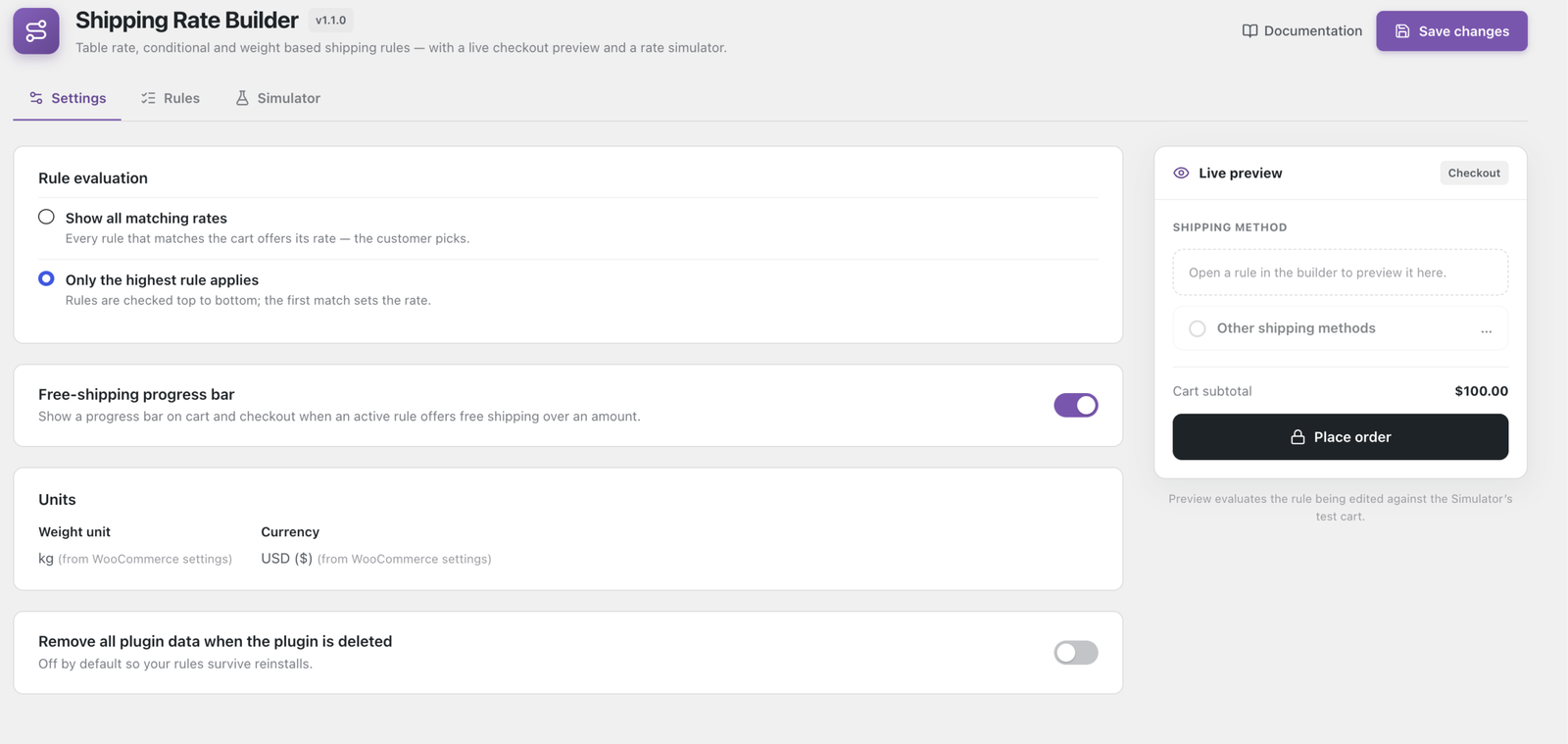
Rule evaluation
What happens when more than one rule matches the same cart. Store-wide, not per rule.
- Show all matching rates — every matching rule offers its rate and the customer picks. Use it to offer Standard and Express side by side.
- Only the highest rule applies — rules are checked top to bottom and the first match sets the rate. Use it when you want one definitive price.
Tip
If the wrong rate shows under Only the highest rule applies, the cause is usually rule order rather than conditions.
Free-shipping progress bar
Shows shoppers how close they are to free shipping — “Add €12.50 more for free shipping”. A single on/off switch: there is no message or amount to fill in.
⚠ Warning
The threshold comes from your rules, not from this screen. The bar reads the lowest free-shipping threshold offered by an active rule, so it shows nothing until one exists — either a rule with Free when cart total ≥ set, or one that charges0above aCart subtotalcondition. An enabled bar that never appears almost always means there is no such rule.
It appears on the cart and checkout automatically, classic and Block alike. To place it anywhere else, use the shortcode:
[wpactpro_sr_progress_bar]On cart and checkout nothing is loaded unless there is a threshold to show. The shortcode loads its stylesheet wherever you place it, whether or not there is anything to display.
Units
Weight unit and Currency are read from WooCommerce and shown here for reference — change them in WooCommerce → Settings → Products and General.
Dimensional weight divisor Pro is set here. Take it from your courier contract — commonly 5000 for cm/kg or 139 for in/lb.
⚠ Warning
Changing the divisor changes what your existing dimensional weight rules match. Carts that were charged before may stop matching, and carts that never matched may start. Re-check affected rules in the Simulator after changing it. Left blank, dimensional weight rules decline to match rather than guessing.
Uninstall
Remove all plugin data when the plugin is deleted — off by default, so your rules survive a deactivate/reinstall cycle and an accidental delete cannot destroy your configuration.
✓ Note
Turn it on only when you are deliberately removing the plugin for good.