
Conditions are the WHEN of a rule. All conditions in a group must be true for the rule to match.
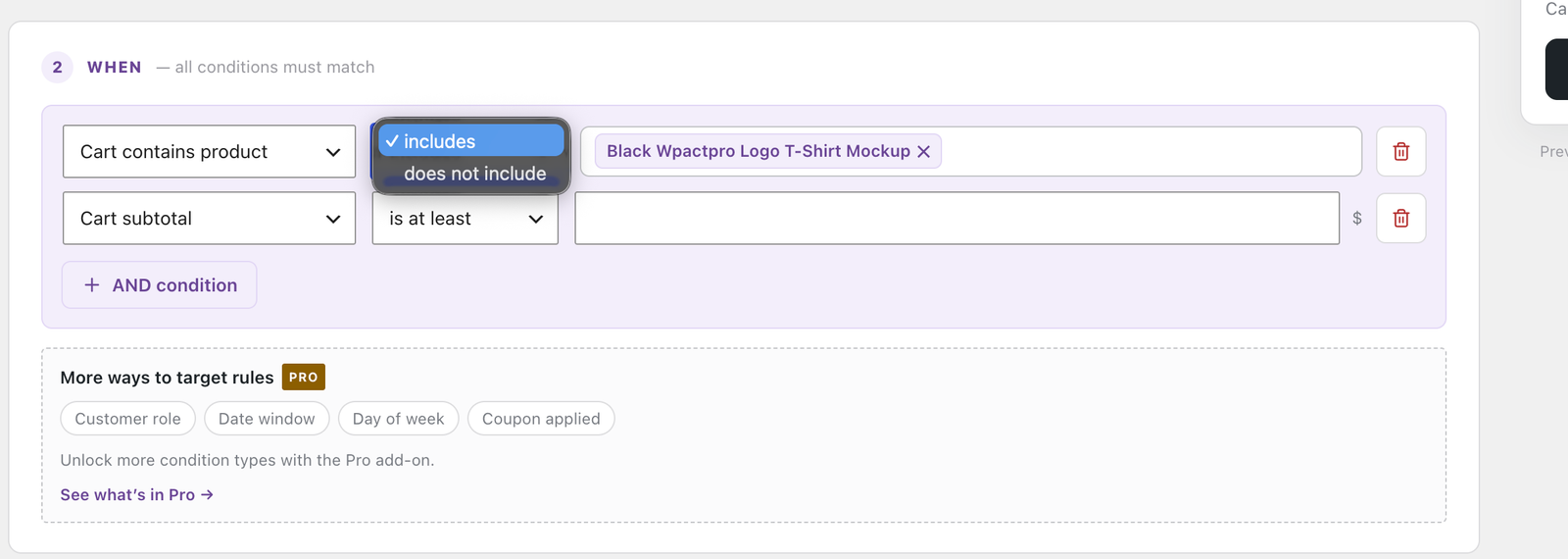
Operators
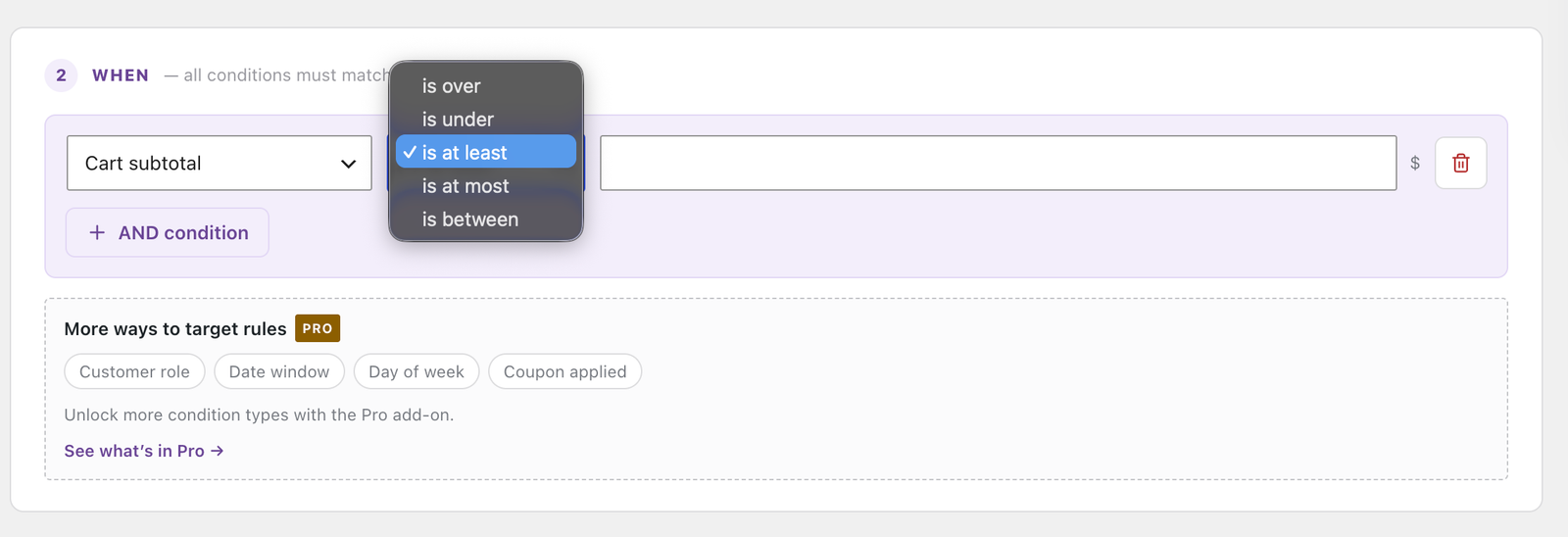
Every condition uses one of two sets, in plain language:
| Numeric conditions | Set conditions |
|---|---|
| is over | includes |
| is under | does not include |
| is at least | |
| is at most | |
| is between |
✓ Note
is at leastandis at mostare inclusive;is overandis underare not. For a “free over £50” rule that includes a cart of exactly £50, use is at least.
Cart
| Condition | Operators | Notes |
|---|---|---|
| Cart subtotal | numeric | Before shipping and tax. |
| Cart weight | numeric | Total cart weight in your store’s weight unit. Products without a weight count as zero. |
| Item quantity | numeric | Number of items in the cart. |
Products
| Condition | Operators | Notes |
|---|---|---|
| Cart contains product | set | Specific products. |
| Cart contains category | set | Any product from the chosen categories. |
| Cart contains shipping class | set | Any product in the chosen shipping classes. Usually the better choice once more than a handful of products are involved, because the grouping is maintained in one place. |
Size and volume Pro
| Condition | Operators | Notes |
|---|---|---|
| Cart volume | numeric | Sum of length × width × height across the cart. |
| Longest side in cart | numeric | The longest single side of any item — for “over 100 cm” oversize rules. |
| Dimensional weight | numeric | Volume ÷ your courier’s divisor. How couriers actually bill bulky-but-light parcels. |
⚠ Warning
All three need every product measured. If any item in the cart has no dimensions, these conditions decline to match rather than pricing an order on incomplete measurements. The Simulator names the product that needs fixing. Dimensional weight also needs the divisor set under Settings → Units — commonly 5000 for cm/kg or 139 for in/lb, from your courier contract. Left blank, it cannot match at all.
Destination Pro
| Condition | Operators | Notes |
|---|---|---|
| Destination postcode | set | Exact, wildcard or range. See below. |
| Destination city | set | Case-insensitive, and accent-aware — münchen matches München. |
Zones still decide which rules are eligible; these filter within a zone the order already matched. That is how “£5 to mainland UK, £15 to the Highlands” works without a second shipping zone.
Postcode syntax is WooCommerce’s own — the same one the zone settings use, because it uses WooCommerce’s own matching:
| Form | Example | Matches |
|---|---|---|
| Exact | CB23 6DH | That postcode. Spacing and case do not matter. |
| Wildcard | CB2* | Everything starting CB2. |
| Range | 90210...99000 | Everything numerically between, inclusive. |
Separate several with commas.
✓ Note
Until the shopper has entered or estimated an address, destination conditions match nothing — including “does not include” rules. Otherwise an “everywhere except London” rule would fire for every visitor before they typed an address and quote them the wrong price.
Customer and timing Pro
| Condition | Operators | Notes |
|---|---|---|
| Customer role | set | Wholesale and B2B pricing. Roles come from WordPress, so this works with whatever plugin creates them. |
| Date range | is between only | Seasonal and holiday rates — a start and an end date. |
| Day of week | set | For example, no Saturday delivery. |
| Time of day | is between only | Cut-off times — a start and an end time. |
| Coupon applied | set | Ties shipping to a promotion. |
Date range and Time of day offer only is between, and both use your site’s timezone from Settings → General, not the customer’s.
Free and Pro at a glance
| Condition | Free | Pro |
|---|---|---|
| Cart subtotal | Included | Included |
| Cart weight | Included | Included |
| Item quantity | Included | Included |
| Cart contains product | Included | Included |
| Cart contains category | Included | Included |
| Cart contains shipping class | Included | Included |
| Cart volume | Not included | Included |
| Longest side in cart | Not included | Included |
| Dimensional weight | Not included | Included |
| Destination postcode | Not included | Included |
| Destination city | Not included | Included |
| Customer role | Not included | Included |
| Date range | Not included | Included |
| Day of week | Not included | Included |
| Time of day | Not included | Included |
| Coupon applied | Not included | Included |
| OR condition groups | Not included | Included |
⚠ Warning
If a Pro licence lapses, a rule that uses a premium condition can no longer be evaluated: it is skipped with Rule errored and was skipped and stops producing a rate. Nothing is lost — remove or replace that condition and the rule works again on the free conditions that remain.
✓ Note
OR condition groups are the exception. Existing multi-group rules keep evaluating exactly as before, and you can still simplify one by deleting a group. Only adding another group is locked.